
Getting a free business insurance quote online is usually faster and easier than many small business owners expect. With ERGO NEXT, you can get a tailored quote specific to your business in about 10 minutes — no phone calls, paperwork or waiting days for pricing. If business insurance seems complicated and you’ve been putting it off, read this to understand what information you need to start, what to expect during the quote and how to get a business insurance quote for liability coverage and more 100% online.

How to get online small business insurance quotes
Learn how to get commercial online business insurance quotes for liability coverage and more in about 10 minutes.

Share: 


Link copied!
Why get a commercial business insurance quote online?
Getting a small business insurance quote online can be faster and more convenient than working through phone calls, in-person meetings or paper forms. For many small business owners, online quotes make it easier to compare policies and review pricing quickly.
Small business online insurance quotes have a few advantages:
- Speed. The entire quoting process takes about 10 minutes. That’s a fraction of the time you’d spend on the phone or meeting someone in person.
- Convenience. There’s no appointment to schedule. You can get your quote in the wee hours of your morning between client appointments, or late night on a weekend while streaming a movie at home.
- Transparency. Your pricing options are right in front of you, and you can adjust your coverage options and watch the price update in real time.
- Immediate proof of coverage. Once you buy a policy, you can download and share your certificate of insurance from your phone or computer at no extra cost.
What you need to get a business liability insurance quote online
You don’t need a filing cabinet of paperwork to get started — just a few pieces of basic information about your business.
- General business info. Your business type, location and whether you have employees.
- Financial estimates. A rough estimate of your annual payroll and expected revenue for the next 12 months.
- Coverage needs. Think about the types of coverage you may need, such as general liability, workers’ compensation or commercial property insurance. And if you’re not sure, your insurance company will help you learn about some of the most common types of policies for your specific business risks.
Don’t worry if you don’t have exact numbers. In many cases, estimates are enough to start your quote.
Step by step: How to get an online business insurance quote
Here’s what you can expect when getting a business insurance quote online with ERGO NEXT. The process can vary depending on your type of business and updates to our platform.
1: Choose your profession
First, go to the ERGO NEXT website to get an free quote. Then choose your profession so we can recommend coverage options based on your type of business.
Depending on the work that you do, you may see policies such as:
- General liability insurance: This coverage could help cover medical costs for non-employees, property damage you or your employees cause to other people’s property and some advertising-related claims.
- Workers’ compensation insurance: This type of business insurance is required in most states if you have employees. This can help with costs related to work injuries and illnesses.
- Commercial property insurance: Whether you own, lease or work from home, this policy could help pay for your business property, tools, furniture and equipment. It could also cover lost income if you have to close your business temporarily for repairs after a covered event.
- Professional liability insurance: Also called errors and omissions insurance, or E&O, this kind of coverage can help protect against claims related to professional mistakes or contract disputes that cost a client money.
- Cyber liability insurance: This policy is designed to help cover certain costs related to data breaches, phishing schemes, ransomware attacks or other cybercrimes.
2: Share your business information
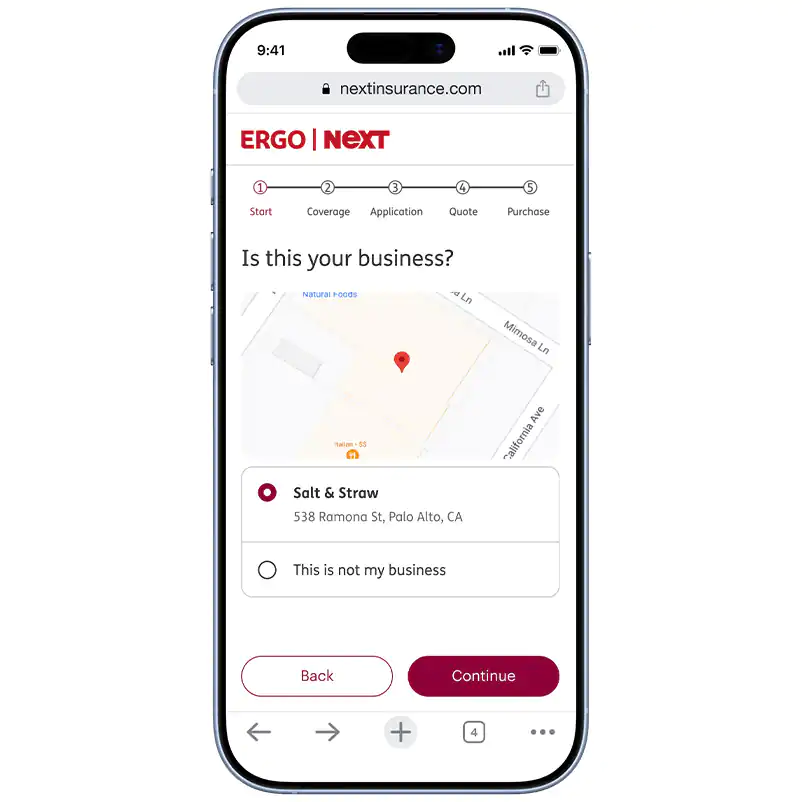
Next, you’ll need to enter some business details that are used to build your quote. This typically includes:
- Your name and phone number
- Your business name and address
- Your business structure, such as sole proprietorship or LLC
- The year your business started
- Estimated annual payroll and revenue
3: Tell us about your business operations
We’ll need information about how your business works. Answer some questions about your employees, tools and equipment, business location or daily operations.
These questions help our platform match you with the right pricing and options so that you’re covered for the work you actually do, and not paying for stuff you don’t need. For example, a contractor might get questions about their tools and equipment, while a consultant may need to answer questions about client services.
4: Answer a few insurance history questions
You may be asked a few yes-or-no questions about your business insurance and claims history. These might include whether you’ve filed claims in recent years or if a previous policy was canceled.
This information helps the system understand your business’s risks and see what policies fit your business. You’ll also choose when you’d like your coverage to begin.
5: Choose your coverage options
Customize the policies included in your quote. Depending on the coverage type, you may see options to adjust your policy limits, endorsements and any additional protections.
For example, you may be able to:
- Increase or lower your coverage limits
- Add endorsements or optional coverages
- Include additional protections depending on your business needs
You can make changes, add on extra coverage, turn off unwanted options and decide on limits. Your estimated monthly quote will update in real time so you can clearly see your options and pricing before you buy.
6: Review your quote and buy business insurance 100% online
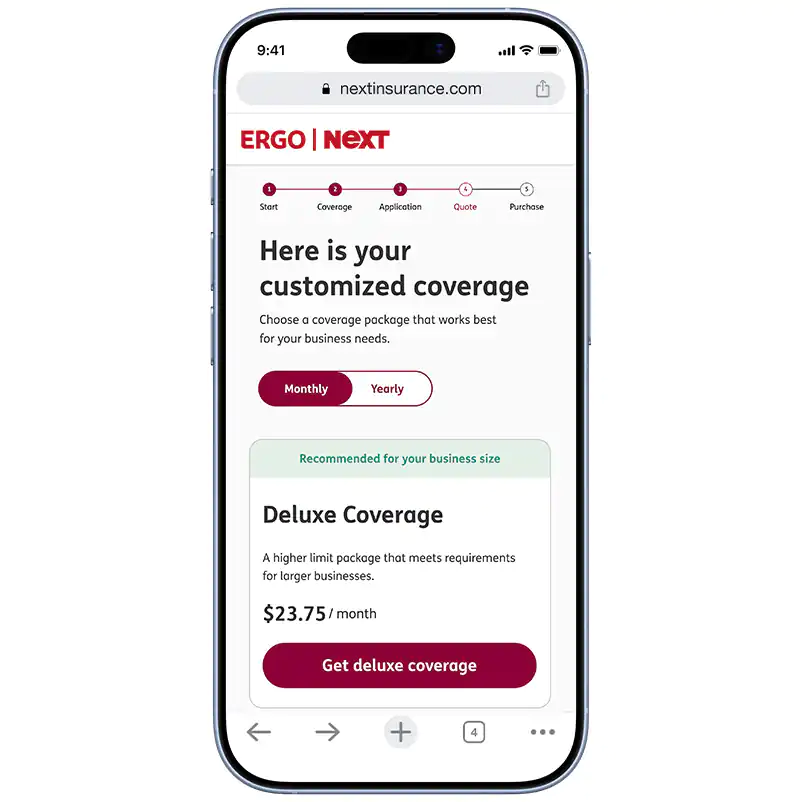
Once you’ve customized your policy options, you’ll see your monthly quote built around your business. You can review your policy details, coverage limits, deductible, premium and optional upgrades before moving forward.
If you like what you see, you can enter your payment information and confirm your coverage.
Once you’re covered, you can download your certificate of insurance (COI) and other policy documents online. This can make it easy to quickly share proof of insurance with clients, landlords or project managers as much as you like at no additional cost.
If you’re not ready to buy, your quote will be saved so you can return later and review your options.
How ERGO NEXT helps protect your small business
ERGO NEXT was built with small business owners in mind. We know you don’t want to spend hours dealing with paperwork or chasing down insurance documents when you have a business to run.
That’s why the experience is designed to be simple and flexible. You can get a free quote online, buy coverage and manage your policy all in one place. Once you’re covered, you’ll have 24/7 access to your policy documents and certificate of insurance (COI) through the web or mobile app.
Need help? Our licensed, U.S.-based insurance professionals are available if you have questions.