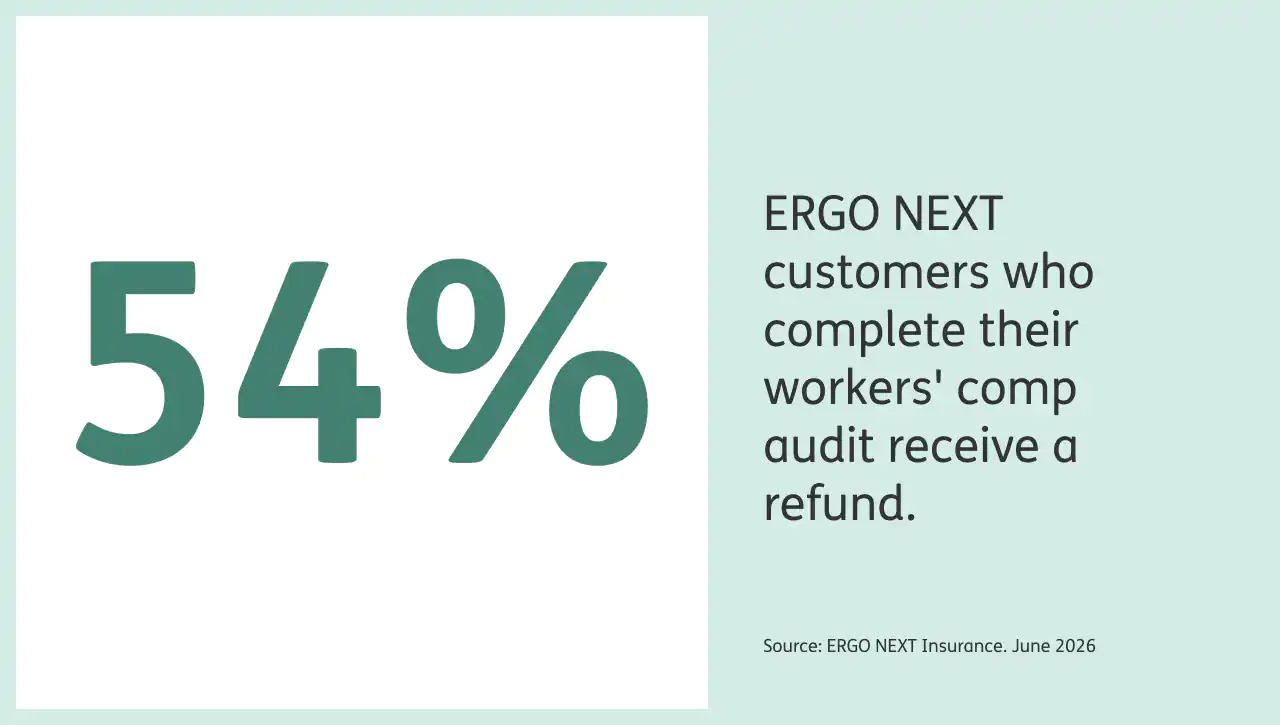
How does a Workers’ Comp audit work?
To complete your workers’ comp insurance audit with ERGO NEXT, follow these three steps.
1. Log in to your account
ERGO NEXT will send you a reminder email when it’s time to conduct your audit.
Once you’ve been notified, log in to your customer account and follow the prompts to verify current payroll details for you, your employees, subcontractors and partners from your payroll and tax documents.
2. Email your documentation
After you complete the questions online, email copies of your documents to us at wc_auditors@next-insurance.com. Please include all necessary documentation as provided above in our workers’ compensation audit checklist.
Note that you should already have certificates of insurance for all subcontractors who worked for you to verify their own workers’ compensation insurance.
We only ask for COIs for subcontractors who were marked as insured in the audit questionnaire. If your subcontractors don’t have their own workers’ comp insurance, their compensation may be included in your payroll.
3. Wait for your audit review and results
ERGO NEXT’s auditors will verify the information you provide and determine whether a premium adjustment or refund is needed.
You should receive an audit summary within about a week. The results are usually one of three scenarios:
- If the payroll estimate was the same as your actual payroll, no further action is necessary.
- If the actual payroll is less than the estimate, your insurance costs decrease and we’ll issue a refund to the credit card we have on file within 30 days of issuing the audit summary.
- If the actual payroll is greater than the estimate, we will change your policy to help confirm you’re adequately covered for the year. You will be notified of the correct premium for the policy, and your business will have 30 days to review the additional cost for coverage. At the end of 30 days, we’ll charge the credit card we have on file for your account.
No matter the outcome, 30 days after the completion of the audit you’ll receive an email notification that the audit is complete.
Log in to your customer account to see updates on adjustments and refunds. We’ll also provide updated policy documents for your records.
Three tips to simplify your annual Workers’ Compensation insurance audit
If you already have workers’ comp with ERGO NEXT, there are a few ways to make your workers’ comp audit even smoother:
- Keep your payroll estimate current. You don’t have to wait for audit season — you can log in to your online ERGO NEXT account anytime to update payroll or employee information during your policy term. This can help keep your premium accurate and up to date.
- Consider ERGO NEXT Pay-As-You-Go workers’ comp. With pay-as-you-go (PayGo) workers’ compensation, available only through our network of over 100 partners, including Intuit’s Quickbooks, Square, Gusto, Toast, Patriot, Homebase and more, your premium automatically adjusts based on your real payroll instead of estimates. That means fewer surprises during your annual audit — and payments that stay in sync with your business throughout the year.
- Review your audit summary early. After your audit is complete, review your summary as soon as it arrives. If you have any questions about premium adjustments or next steps, contact our support team at (855) 222-5919 within 30 days of getting your audit summary email.
Our team is here to help you understand your results and resolve any issues before any charges or refunds are applied.
Why does your Workers’ Comp premium need to be audited?
When you buy workers’ comp coverage, you estimate your annual payroll and the primary type of work your employees will do during the policy period. Your insurance company uses that estimate to set your premium (the initial cost you pay) and coverage level.
But a lot can change in a year:
- Your number of employees can grow or shrink
- The type of work your employees do can change
- The hours spent on each task can ebb and flow
- Raises or pay cuts can alter salaries or wages
Since these changes are common for most businesses, your reality can drift from your original coverage estimate.
A workers’ comp audit reconciles your estimate with what actually happened, using your real payroll data and class codes (the insurance industry’s job classifications that tie premiums to risk). This can help ensure your coverage matches your business and, if it doesn’t, then your premium may adjust up or down as needed.
Even if your business closes or your policy is canceled before the term ends, you’ll still need to complete the audit to finalize your coverage record. That helps ensure any past claims may still be processed correctly.
What happens if you don’t do a Workers’ Comp audit?
As any business owner knows, calendars get crunched, to-do lists grow long and tasks can slip through the cracks. But regardless of how busy you are, workers’ comp audits are a required part of keeping your coverage accurate.
If you don’t complete your workers’ comp audit, here’s what could happen:
- A non-compliance charge could be added to your policy. In some states, insurers may charge an additional non-compliance fee or estimate your premium based on higher payroll.
- Your active workers’ compensation policy could be canceled. This could leave your business potentially out of compliance with state laws.
- Your business could be reported as non-compliant to relevant state agencies. That can make it harder to secure workers’ comp coverage later or delay new policy approvals.
Depending on your state and insurer, workers’ comp audit penalties may include estimated payroll charges, additional premium assessments or policy cancellation.
Complete your workers’ comp audit on time to keep your policy in good standing and help ensure your business is properly protected.
Are Workers’ Compensation audit requirements different by state?
Yes. Workers’ compensation audit requirements can vary by state. While most audits review payroll records, employee classifications and subcontractor documentation, some states impose additional audit requirements for certain industries or business sizes.
For example, Florida law requires annual audits for many construction businesses and requires physical on-site audits for construction employers with an estimated annual workers’ compensation premium of $10,000 or more. Florida also requires employers to provide records needed to complete the audit
When in doubt, provide more documentation rather than less. Your auditor will tell you what they need.
Workers’ Compensation audit checklist
Partial or incomplete records are one of the most common reasons audits can take longer than expected or result in estimated charges. Use this workers’ comp checklist to get organized before your annual workers’ comp audit. Having these documents ready in advance can speed up the process and help you avoid billing surprises.
Payroll documents
- Payroll summaries or reports from your payroll system
- Federal W-2s and W-3
- Federal 1099s for any contractors or freelancers you paid
- Federal Employer’s Annual and Quarterly Tax Returns (Form 944 and 941)
- Federal Employer’s Annual Unemployment (FUTA) Tax Return (Form 940)
- Federal Profit and Loss From Business Schedule C (Form 1040) if applicable
Make sure your payroll records include all eligible compensation types: wages, salaries, commissions, bonuses and overtime pay.
Employee and classification records
- Job descriptions or titles for each employee
- Documentation of any changes to employee roles or duties during the policy term
- Records of any new hires or departures during the year
Subcontractor records
- Certificates of insurance (COIs) for all subcontractors who worked for you during the policy term
State requirements can vary, so your insurer may ask for additional documentation depending on where your business operates.